
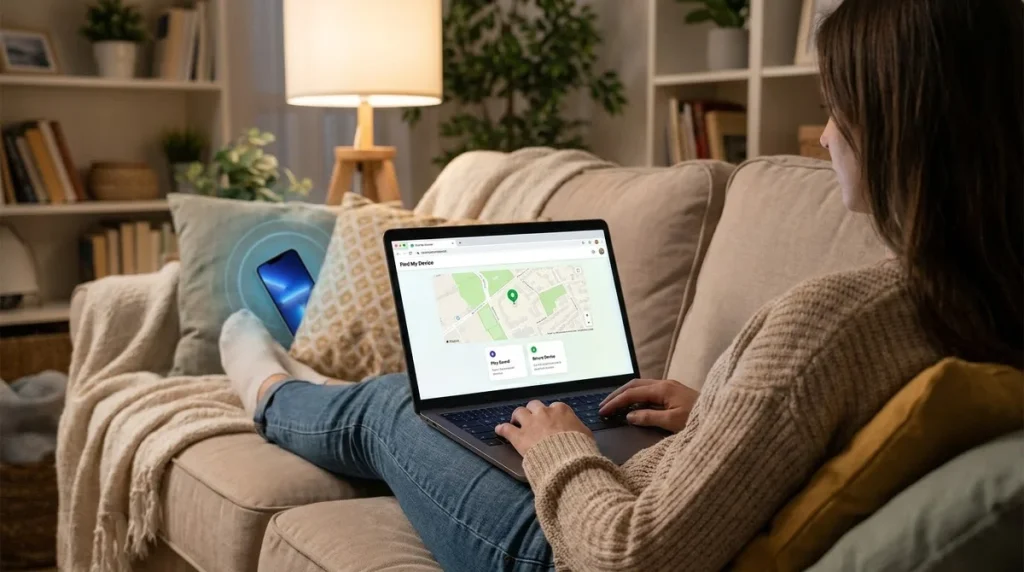
To find a lost phone, sign in to the official finder service from another device: icloud.com/find or the Find My app for an iPhone, and the Find Hub app or android.com/find for an Android phone. You’ll see the phone on a map and can make it ring, lock it with a message or erase it. Both services only work if they were switched on before the phone went missing, which is why the setup steps below matter just as much.
Table of Contents5 sections
Google renamed its Find My Device service to Find Hub, so older guides may use the old name.
Find a Lost iPhone With Find My
Apple’s Find My shows your iPhone’s location on a map and lets you play a sound, mark it as lost or erase it. You can use it in three ways:
- On another Apple device: Open the Find My app, tap Devices and choose your iPhone.
- On any web browser: Go to icloud.com/find and sign in with your Apple Account. Apple says you don’t need a verification code to use Find Devices there, so it still works if the lost iPhone is the device that normally receives your codes.
- On a family member’s device: If you’re in a Family Sharing group, your iPhone can appear in their Find My app.
If the phone is online, its current location appears. If it’s offline, you see its last known location. Apple says you can see the last known location for up to seven days.
Make it ring
Choose your iPhone and tap Play. The sound starts quietly and gets louder, playing for about two minutes. If the phone is offline, the sound plays as soon as it reconnects.
Find a Lost Android Phone With Find Hub
Google’s Find Hub works on any Android phone signed in to a Google Account, and Google says it’s turned on automatically when you add an account. Here’s how to use it:
- On another Android phone or tablet, open the Find Hub app. Without one, go to android.com/find in any web browser.
- Sign in with the Google Account used on the lost phone. If you’re borrowing a friend’s phone, use the option to sign in as a guest.
- Select the lost phone from the list. It appears on a map, with a circle showing how accurate the location is.
- Choose what to do next: play a sound, mark it as lost, or erase it.
Play sound rings the phone at full volume for 5 minutes, even if it’s set to silent or vibrate. When you’re within about 10 metres, the Find nearby option can help you home in on it.
Finding a phone that’s offline
By default, Android phones take part in the Find Hub network, which Google describes as a crowdsourced network of Android devices that uses end-to-end encrypted location information. It can help locate a phone that has no internet connection. Google says your phone needs a PIN, pattern or password screen lock for the network to help.
What to Do if You Can’t Get It Back Quickly
If the phone isn’t nearby, mark it as lost straight away. This locks it and lets you put a message and contact number on the screen for whoever finds it.
| Action | iPhone (Find My) | Android (Find Hub) |
|---|---|---|
| — | — | — |
| Lock the phone and show a message | Lost Mode: locks with your passcode and suspends Apple Pay cards | Mark as lost: locks with your PIN, pattern or password |
| Show a contact number | Added when you turn on Lost Mode | Added when you mark it as lost |
| Erase everything | Erase this device | Factory reset |
| After erasing | Activation Lock stays on; your Apple Account password is needed to use it again | Your Google Account password is needed to use it again |
Erasing is permanent. Apple advises trying everything else first, because an erase can’t be undone. Once an Android phone has been reset, it no longer appears in Find Hub.
Never go to a location shown on the map to confront someone. If you think your phone was stolen, report it to the police and let them handle it.
If the phone was stolen
Report a stolen phone to the police and your mobile provider, then work through the other steps Apple and Google both describe for a phone that seems gone for good:
- Report it to the police. They may ask for the serial number or IMEI. You can find your Android phone’s IMEI in Find Hub under the device’s settings.
- Call your mobile provider. Report the phone missing and ask them to disable your account or SIM so no one can use your number. Google notes that providers can use the IMEI to disable the device.
- Don’t remove the iPhone from Find My, even after erasing it. Apple warns that removing it turns off Activation Lock, which makes it easier for a thief to resell.
- Watch out for scam messages. Apple notes it will never contact you to say your iPhone has been found, and you should never share your passcode or verification codes with anyone who asks.
- Change key passwords, starting with your email and banking apps, if your phone didn’t have a strong screen lock.
Set Up Your Phone Now So You Can Find It Later
Make sure Find My (iPhone) or Find Hub (Android) is turned on now, because the best time to prepare is before anything goes wrong. These settings take a couple of minutes.
On iPhone
- Open Settings, tap your name, then tap Find My.
- Tap Find My iPhone and make sure it’s turned on.
- Turn on Find My network, so you can see the phone even when it’s offline.
- Turn on Send Last Location, which sends the phone’s location to Apple when the battery is running low.
It’s also worth turning on Stolen Device Protection under Face ID & Passcode. Apple says that with it on, Face ID or Touch ID is required to turn off Lost Mode, even for someone who knows your passcode.
On Android
- Open Settings and check that your Google Account is listed under Passwords, passkeys and accounts (or Accounts).
- Check that Location is turned on.
- Under Security (or Google, then All services), open Find Hub and make sure “Allow device to be located” is on.
- Set a PIN, pattern or password screen lock if you don’t already have one.
Menu names vary between phone makers, so use the search bar in Settings if you can’t see these exact labels.
FAQ
Can I find my phone if it’s switched off?
Sometimes. If it’s off or the battery is dead, it can’t send a new location, but both services may show its last known location. Apple’s Find My network and Google’s Find Hub network can sometimes locate a device that’s offline, depending on your settings and the device.
Can I find a lost Android phone from an iPhone?
Yes. Open a web browser on the iPhone, go to android.com/find and sign in with the Google Account from the lost phone. The same works the other way: you can find an iPhone from an Android phone at icloud.com/find.